
Data 360: What is Segmentation? What are attributes?
Data Cloud or 360
Welcome 3 new members who joined us! We’re a community of Salesforce SA, BA, Devs and admins! If you enjoy this post, forward to a friend of yours, so they can join us.
In my previous post, I wrote about Unify, the whole point was to get to Unified Profile:
The Unified Profile is formed when you take the Unified Individual DMO (the golden identity) and use its Unified ID to connect to all other unified related data (Unified Contact Points, Unified Orders, Unified Cases, etc.).
Unified profile is a holistic view of an individual, that combines their name, phone, email, addresses from multiple sources.
Now, what’s the point of all this unification and getting a holistic view of an individual?
This is where we get to Analyze and Act (diagram below) starting with segments.
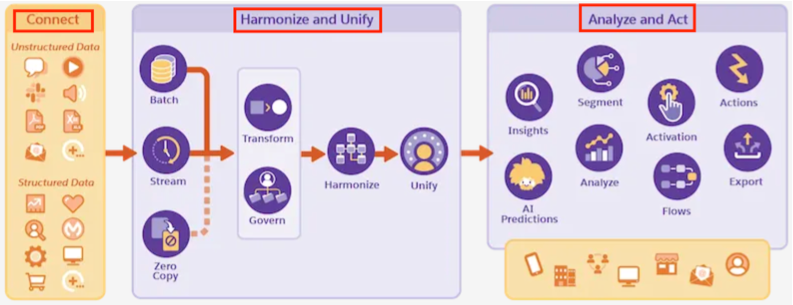
Segmentation:
First step is to segment the individuals. It is a fancy way of saying apply filters to your dataset so you get to subset of individuals that meet the defined business criteria.
Consider following examples:
You are a B2B Company and you want to identify high-value customers (who spent > $10,000 last year) so that you can target a campaign for them.
You are a financial services firm and want to identify clients by account balance > $1 million, so you can provide premium investment service to them.
You are a health care provider and want to identify diabetic patients, so that you can send them mobile alerts to take their medication.
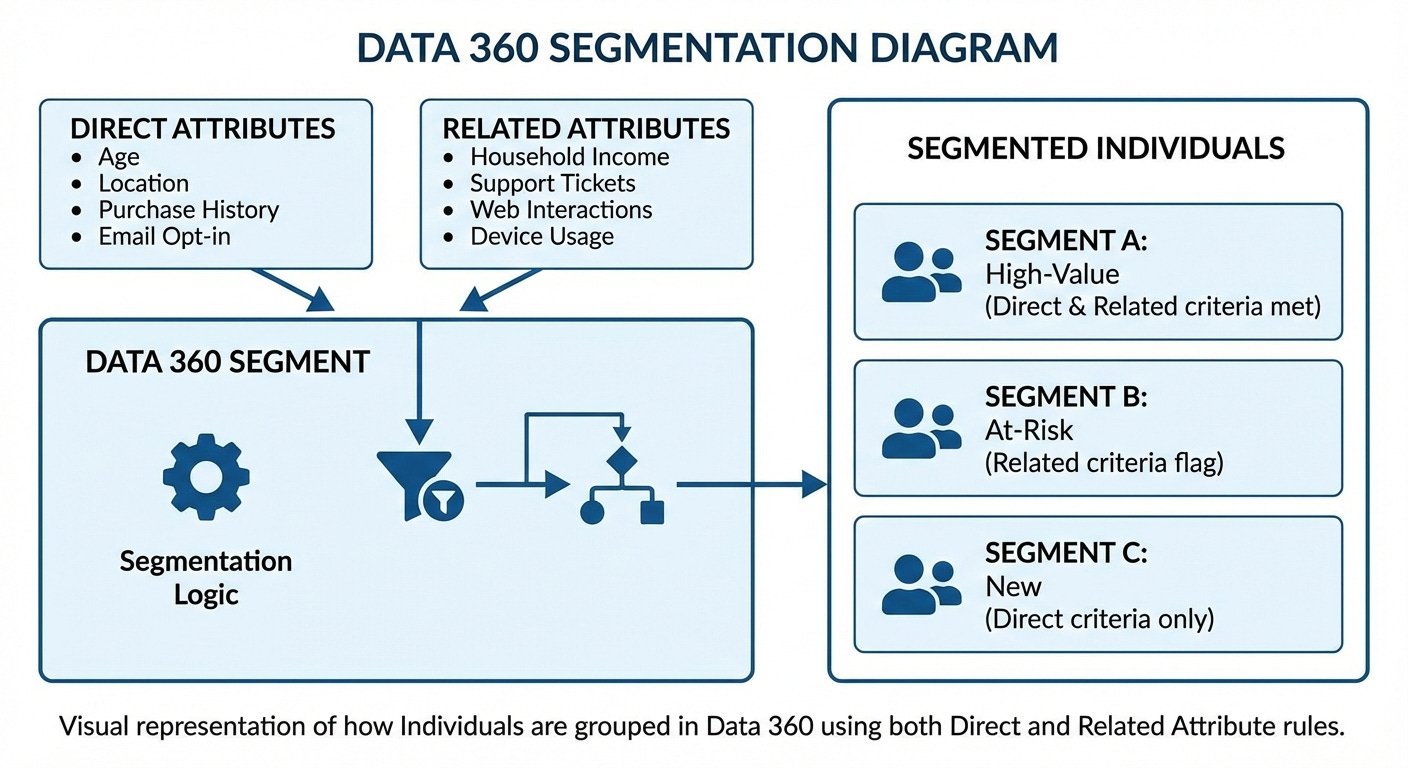
In each of them, we got to a subset of individuals who met some business criteria and that is segmentation. Also, a visual representation of this concept below:
How do we set that up in Data 360?
Navigate to Segments tab, which should take to Canvas like below:

Then define the ‘Segment On’ Object. This defines the target object on which to build the segment.
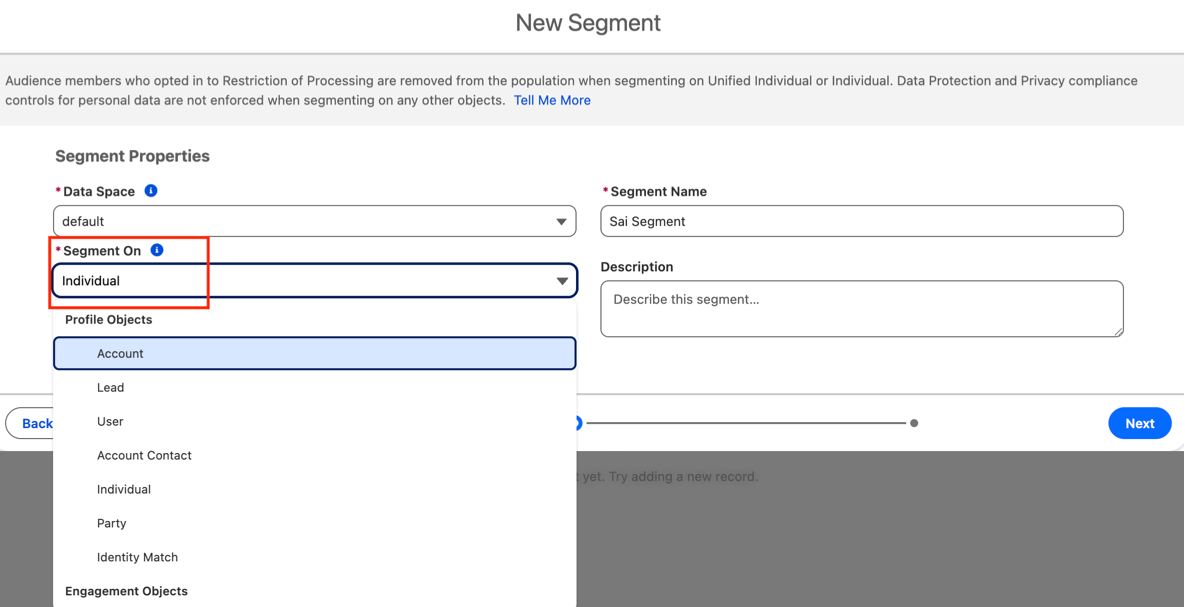
This takes us to a Canvas where we can define: Direct, Related Attributes.
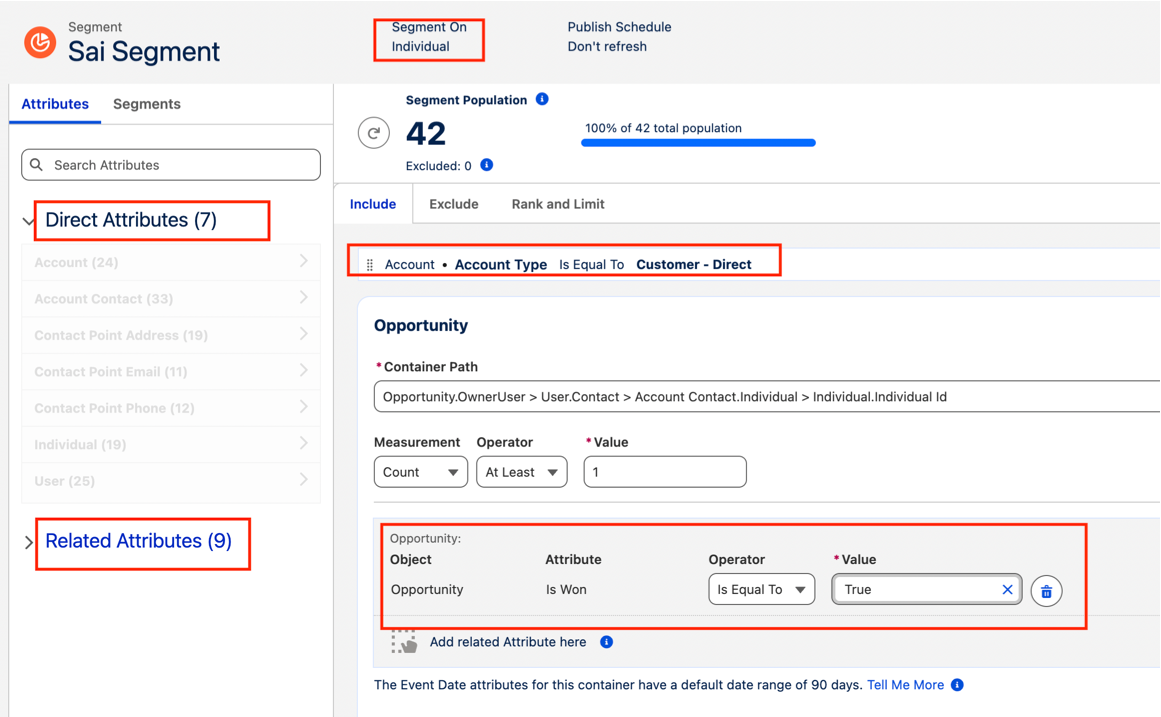
Direct Attribute: This is a single data point that belongs directly to the entity you are segmenting on. In screenshot above, I’m segmenting on Individual DMO and filtering by Account Type = ‘Customer - Direct’.
Related Attributes: This is a collection of multiple data points associated with the entity being segmented on. These represent behavioral data, transaction history, or engagement events that require aggregation to create meaningful segment criteria
In Screenshot above, I’m filtering on Individual’s Account who has at least 1 Opportunity as Closed/Won.
Then all we need to do is fine tune the filters using following elements:
Aggregator: Count, Sum, Average, Max, Min
Operator: Is Equal To, Is Not Equal To, Is Greater Than, Is Greater Than or Equal To, Is Less Than, Is Less Than or Equal To
Value: The threshold number defined by the business.
Logic: And/ OR
That’s it for the day, next post will be on Activation and Insights.